/landing-page
A built or repaired landing page around one visitor, one decision and real proof.
Then type /landing-page in Claude Code, or describe the task and let it pick the skill.
What you get back recorded run · 9 Oct 2026
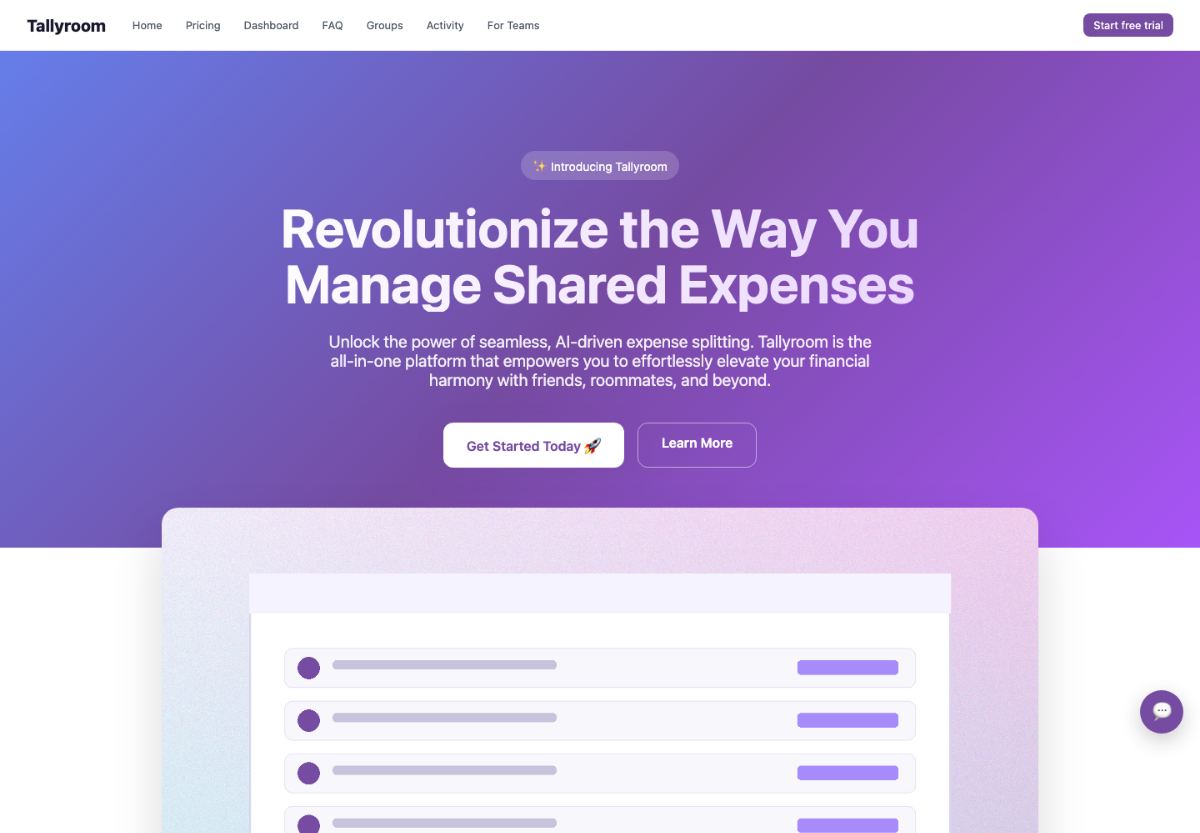
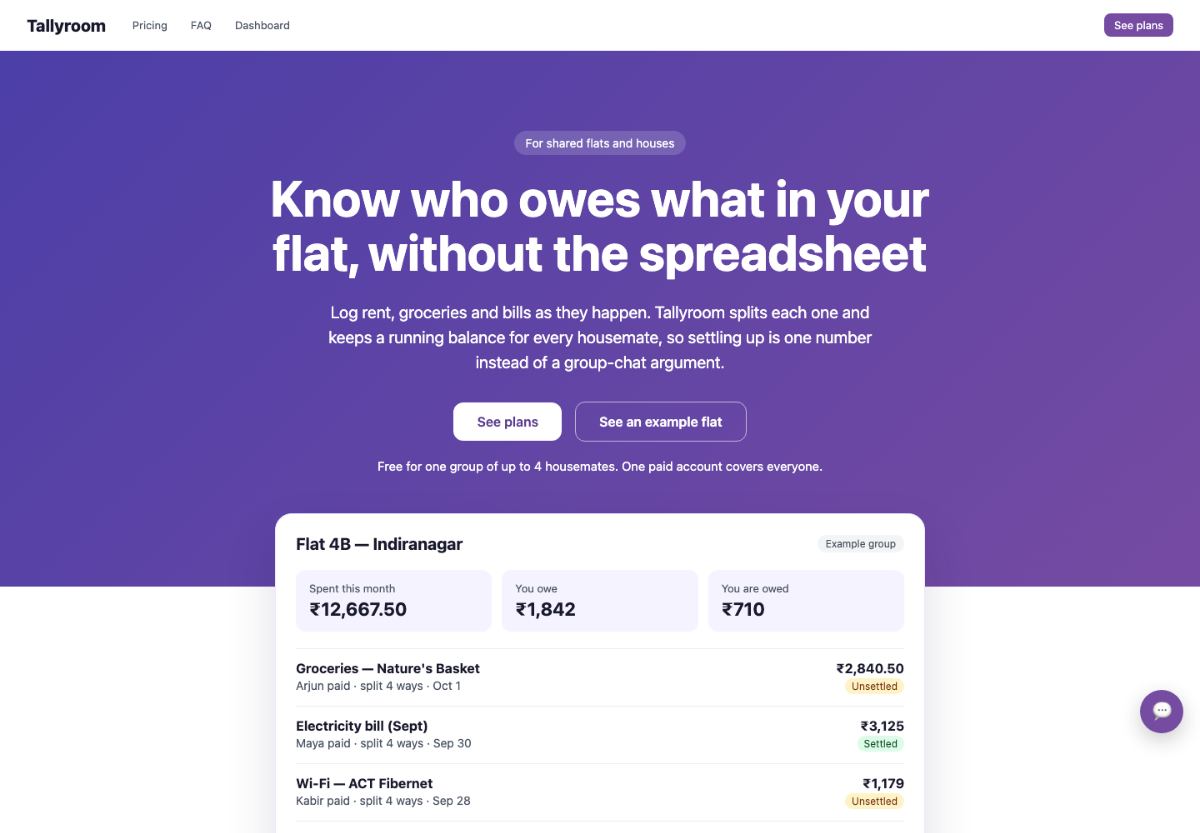
- Free for up to 4 housemates
- No made-up testimonials or stats
When to use it
Use when a marketing page must do one clear job and needs building, repair or an audit.
Skip it when only the words are wrong (landing-copy) or only the phone layout breaks (mobile-first).
The thinking behind itA landing page has one job: help one visitor make one decision. Build it around that and real proof, and more of them say yes.
Output contract from the skill's Deliver section
Return the implemented page or requested artifact, then summarize:
- the visitor, decision, claim, and proof used;
- material structure and design decisions;
- what was changed and directly verified;
- assumptions, missing evidence, and production work still requiring authorization;
- the post-release measurement plan.
In audit mode, change nothing. Rank findings by their effect on comprehension, trust, action, accessibility, and performance, then recommend the smallest coherent repair.
How it checks its own work from the instructions
- Renders checked at narrow, tablet, desktop, and 200% zoom
- Primary action, forms, errors, and keyboard path are exercised
- Claims, links, analytics events, and share previews are verified
- Reports gaps against the brief instead of declaring success
Requirements what it needs
- Works in
- Codex, Claude Code, Cursor
- Needs
- project files, terminal commands, browser access, network access, files you provide
The instructions SKILL.md · 102 lines
Instructions & references
Back to overview ↑On this page 9 sections
Landing page
Produce a coherent marketing page for one audience and one primary decision. Own the page-level argument: what the visitor must understand, believe, and do. Preserve the product's existing brand and implementation system unless evidence supports changing them.
Keep the boundary clear
This skill coordinates a landing-page outcome without replacing specialist work:
- Use the
landing-copyskill when the core problem is positioning, claims, proof, objections, or CTA language. - Use the
interface-designskill when the core problem is a broader design system, application workflow, or component implementation. - Use the
mobile-firstskill for a measured responsive audit or repair after the page structure is sound. - Use
performance-diagnosis,social-sharing, orremove-ai-slopwhen those are the actual requested outcomes.
When a specialist skill is unavailable, handle the necessary portion here, but do not pretend to have verified evidence you could not inspect.
Choose the working mode
Infer the narrowest mode from the request and existing project:
- Build — create and implement a new page or substantial section.
- Repair — change an existing page whose message, structure, proof, or conversion path is underperforming.
- Audit — return evidence-backed findings without changing files.
- Handoff — produce an implementation brief or sequenced prompts because another person or agent will execute the work.
State the selected mode and scope in one sentence. Do not offer the modes as a menu.
Recover evidence before asking
Inspect the supplied brief, repository, live page, analytics, search data, customer language, product states, existing brand tokens, and reference sites that are in scope. Separate observed facts from assumptions.
Resolve these decisions from evidence when possible:
- the visitor, their entry context, and the job they are trying to complete;
- the single primary action and any legitimate secondary path;
- the differentiated claim and the proof available to support it;
- implementation constraints, visual system, and required states;
- how success will be measured after release.
Ask only about missing choices that materially change the result. Batch at most three short questions. Typical blockers are an unknown primary action, contradictory reference directions, or permission to replace a consequential conversion flow. Continue with labeled assumptions when the choice is reversible.
Build the page argument
Read references/architecture.md when choosing the page shape, section order, or proof. Write a compact page brief before implementation:
- Visitor: who arrives and what they already know.
- Decision: the primary action and the commitment it requires.
- Claim: a specific, defensible reason to choose this product now.
- Proof: the strongest available evidence and its provenance.
- Objections: the few uncertainties that genuinely block the decision.
- Measurement: the event or outcome that would show the page is working.
If the claim or proof is missing, do not compensate with decorative design or invented evidence. Surface the gap and either request the missing input or build an honest lower-commitment page.
Compose, do not fill a template
Choose sections because each advances the visitor's decision. A useful sequence often moves from orientation to evidence to objection resolution to action, but the evidence determines the order.
- Put the product and its consequence in the first viewport; avoid category-only headlines.
- Repeat the primary action where renewed intent makes sense, not at a fixed interval.
- Treat screenshots, demos, samples, comparisons, customer evidence, and operational details as proof with different strengths.
- Use real product content and realistic extremes. Label fixtures and never present them as customer evidence.
- Preserve one clear action hierarchy. Secondary links may support evaluation without competing visually with the primary action.
- Let content determine layout. Do not require cards, gradients, display fonts, animation, or a particular radius system.
Implement within the project
Reuse sound components, tokens, assets, routing, analytics, and test conventions. Do not install a new framework or motion library only to achieve a landing-page style.
Build meaningful states: narrow and wide layouts, loading or unavailable product evidence where relevant, form success and failure, keyboard focus, reduced motion, and long copy. Protect personal information and secrets in screenshots or fixtures.
When the work changes an existing funnel, preserve event semantics or document the migration. Never infer deployment, experiment launch, paid traffic changes, or production publication from authorization to edit the page.
Audit and verify
Read references/review.md for audit criteria and the output contract. Read references/evidence.md before asserting standards, performance thresholds, or conversion research.
For implemented work:
- Run the repository's build, typecheck, lint, and relevant tests.
- Render representative narrow, tablet, and desktop widths plus 200% zoom.
- Exercise the primary action, forms, errors, navigation, and keyboard path.
- Verify claims, links, analytics events, metadata, share previews, and page performance proportionally to risk.
- Compare the result with the brief and report observed gaps rather than declaring success from section presence.
Deliver
Return the implemented page or requested artifact, then summarize:
- the visitor, decision, claim, and proof used;
- material structure and design decisions;
- what was changed and directly verified;
- assumptions, missing evidence, and production work still requiring authorization;
- the post-release measurement plan.
In audit mode, change nothing. Rank findings by their effect on comprehension, trust, action, accessibility, and performance, then recommend the smallest coherent repair.
Landing-page architecture
Use this reference when choosing the page argument, section set, proof, or ordering. It is a decision aid, not a template library.
Start from the decision
Map the visitor's path as a sequence of questions:
- Is this for me and my current situation?
- What changes if I use it?
- Why should I believe the claim?
- How does it work well enough to evaluate?
- What risk, effort, or tradeoff remains?
- What exactly happens if I act?
Remove a section when it repeats an answered question without stronger evidence.
Common page shapes
| Shape | Use when | Evidence that matters | Typical mistake |
|---|---|---|---|
| Product introduction | The category or workflow is unfamiliar | Product demonstration, concrete before/after, mechanism | Explaining the category without showing the product |
| Alternative | Visitors compare against a known incumbent or manual process | Comparison criteria, switching path, limitations | Naming the competitor without proving the difference |
| Proof-led | The promise is familiar but trust is low | Customer outcomes with scope, live examples, methodology | Unsupported logo walls or context-free statistics |
| Developer tool | Evaluation depends on integration and operation | Working example, API or CLI path, compatibility, failure behavior | Marketing copy before the first usable example |
| Service | The buyer evaluates fit, judgment, and risk | Process, representative work, constraints, accountable people | Selling a vague transformation with no engagement shape |
| Waitlist | The product is not available | Honest status, intended user, expected access path | Implying availability or traction that does not exist |
These shapes can combine, but the page should still have one dominant evaluation path.
Select proof by claim
| Claim type | Stronger proof | Weaker substitute |
|---|---|---|
| Capability | Usable demo, screenshot with real state, documented output | Illustration or feature icon |
| Performance | Reproducible measurement with environment and percentile | Unscoped speed adjective |
| Outcome | Customer result with baseline, period, and attribution limits | Logo or testimonial without context |
| Reliability | Status history, operational design, failure behavior | “Enterprise-grade” |
| Ease | Observed task steps, time-to-result, onboarding sample | “Effortless” |
| Compatibility | Tested version matrix and limitations | Vendor logos |
Never strengthen a weak proof artifact by writing a stronger claim around it.
Order sections by uncertainty
Put the visitor's largest unresolved uncertainty immediately after the initial claim. For a new product that may be “does it actually exist?”; for an expensive service it may be “can these people be trusted?”; for a developer tool it may be “will this fit my stack?”
Use analytics, sales questions, support logs, search queries, interviews, and usability observations to rank uncertainty. When evidence is absent, label the proposed order as a hypothesis and make it easy to revise.
Action hierarchy
The primary action should name the result or next step when space allows. A secondary action is legitimate when it helps the same decision—for example, viewing a demo before starting a trial. It should not compete visually or send the visitor into an unrelated funnel.
Match commitment to evidence. A high-commitment action needs more risk reduction than a reversible trial, sample, or preview.
Evidence and standards
Use this reference before making standards, performance, reading-behavior, or conversion claims. Verify time-sensitive guidance live when it affects a release.
Maintained sources
- GOV.UK: identify user needs — content should support a real task, based on user evidence rather than a solution invented first.
- GOV.UK design principles — start with user needs, use data, do less, and remain consistent without forcing uniformity.
- Nielsen Norman Group: how users read on the web — foundational usability research on scanning, concise structure, and credibility cues. Treat the historical percentages as study findings, not universal current rates.
- MECLABS research catalog — archived controlled tests showing that page changes require experiments; do not generalize a reported lift to another product or audience.
- web.dev: optimize LCP — current LCP threshold and diagnostic subparts. The good threshold is 2.5 seconds or less at the 75th percentile, segmented by device; a single local run does not establish field performance.
- WCAG 2.2 — normative accessibility criteria for contrast, reflow, input, focus, motion, and other requirements.
How to use research
Separate four evidence classes:
- Standard: a normative requirement such as a WCAG success criterion.
- Observed product evidence: analytics, research, recordings, support questions, and controlled tests from this product.
- External research: a transferable hypothesis whose population and method must be considered.
- Heuristic: experienced judgment to test, not a guaranteed conversion law.
Never present a benchmark, historical experiment, or expert preference as a universal conversion rate or mandatory page pattern.
Provenance
This package was reconstructed from Tushar Mehta's earlier landing-page draft. Its strongest page-architecture, proof, assets, conversion, and review ideas remain, while fixed aesthetic defaults were removed. The earlier draft credited Emil Kowalski and Jakub Krehel's MIT-licensed skill collections and Rauno Freiberg's interaction-design writing; this version preserves that attribution without copying their reference text.
Landing-page review
Use this reference for audit mode or the final implementation review.
Inspect the rendered page
Review the live or locally rendered page at representative widths and states. When rendering is unavailable, label visual findings provisional.
Record for each finding:
- route, viewport, state, and evidence;
- the visitor question that remains unanswered;
- the source component or content owner when known;
- the likely consequence for comprehension, trust, action, accessibility, or performance;
- the smallest coherent repair and how to verify it.
Review lenses
Comprehension
- Can the intended visitor identify the product, consequence, and next step from the first viewport?
- Does terminology match the product and the visitor's language?
- Does each section add a new claim, mechanism, proof, objection answer, or action?
Trust
- Is every statistic, testimonial, comparison, badge, and availability claim traceable?
- Does product evidence show realistic content and limitations?
- Are pricing, privacy, compatibility, and operational constraints visible where they affect the decision?
Action
- Is there one clear primary action with an honest destination?
- Are form requirements, commitment, success, failure, and recovery states clear?
- Do secondary paths help the same decision rather than compete with it?
Interface
- Does the hierarchy follow the page argument rather than a stock section pattern?
- Does the page preserve the existing brand and component language?
- Do narrow layouts, keyboard use, zoom, contrast, focus, and reduced motion remain usable?
Performance and discovery
- Is the primary content server-rendered or otherwise reliably available to the intended audience?
- Is the likely LCP element identified and measured rather than guessed?
- Are title, description, canonical, share preview, structured data, and analytics accurate for this route?
Severity
- Blocker: prevents the primary action, makes a consequential claim unsafe, or causes a serious accessibility failure.
- High: obscures the proposition, proof, price, commitment, or conversion path.
- Medium: adds friction, weakens hierarchy, or creates avoidable uncertainty.
- Low: polish whose repair does not displace higher-value work.
Audit output
Lead with the verdict and the top three causes. Provide an evidence table, preserve strong existing decisions, and end with a sequenced repair plan. Do not rewrite or redesign unless the user requested changes.
Claude app, ChatGPT and ZIP download
local coding agent required
This skill requires project files, terminal commands, browser access, network access, and files you provide. Uploading it to a chat app does not provide equivalent execution.
ChatGPT Skills
This workflow needs a local coding environment or capabilities that a chat-only Skills upload does not provide.
Package details
- Package
- landing-page/SKILL.md
- Author
- @tushaarmehtaa
- Added
- 1 Sept 2026
- Tags